
 Services
  Technologies
  About
About Success




What is Amazon SageMaker? ML Platform Guide — Training, Deployment, and Pricing
Share article


Table of Contents
Amazon SageMaker is the AWS platform for building, training, and running machine learning models on managed infrastructure. You supply the data and the model code. AWS supplies the GPU clusters, the container orchestration, the scaling, and the endpoint your application calls.
The name covers more ground than it used to, which is where most of the confusion starts. Since December 2024 the SageMaker brand has stretched across a data lakehouse, a governance catalog, and a shared IDE, sitting alongside the original ML service. This guide separates those pieces, then works through training, deployment, and what the whole thing costs.
What Is Amazon SageMaker?
Amazon SageMaker is a fully managed machine learning service that AWS launched in 2017. Fully managed means AWS owns the servers, the operating system, the drivers, and the scaling. You describe the job you want, and the service builds the environment, runs it, and shuts it down afterwards.
It covers the whole lifecycle: preparing data, training models, tuning them, deploying them behind an API your applications can call, and monitoring them once they are live. In practice that means managed notebooks, training jobs, automatic tuning, a feature store, a model registry, hosted endpoints, and pipelines connecting those pieces.
You work through the AWS console, the Python SDK, the CLI, or the API, your data stays in your own S3 buckets inside your own AWS account, and endpoints can sit inside your VPC with no exposure to the public internet.
Two terms come up constantly:
- Training means showing a computer thousands of past examples until it learns a pattern, such as which customers cancelled and which stayed. Training runs occasionally on powerful hardware.
- Inference is what happens next, when your application asks that trained model about a new customer and gets an answer back. Inference runs constantly on hardware sized to your traffic.
SageMaker manages both and bills them separately.
One naming note.
The part that trains and hosts models is now called SageMaker AI, and above it sits SageMaker Unified Studio, which became the default environment in 2026. When someone mentions SageMaker, ask which part they mean.
>>> Read more: How to Build a Generative AI PoC on AWS
Three Doors Into SageMaker

People assume machine learning on AWS requires a research team. There are three entry points, and only one of them does.
|
Entry point |
Who it suits | What you do |
Skill needed |
| SageMaker Canvas | Business analysts | Upload a spreadsheet, pick the column to predict, let it build the model | Excel-level comfort |
| SageMaker JumpStart | Developers | Deploy a pre-trained model in a few clicks, fine-tune it on your data | Basic Python |
| Studio and training jobs | Data scientists, ML engineers | Write the model code, run experiments, control everything | Full ML background |
Canvas is the surprise for most teams. A demand planner can build a forecasting model without writing code, and it uses the same infrastructure underneath.
JumpStart sits in the middle, giving you a catalog of ready-made models including open weight language models and image classifiers, with no extra charge beyond the compute hours they use.
The Workflow Inside SageMaker
Machine learning projects run through roughly the same five stages regardless of industry, and SageMaker puts a managed component behind each one.
Here is what a project touches on the way from raw data to a live prediction.
Data Preparation
Data Wrangler handles transformation and feature engineering through a visual interface, while Processing Jobs run Spark or scikit-learn preprocessing on clusters that shut down when the job finishes. Feature Store keeps engineered features in an online store for low-latency lookups and an offline store for training. One number to weigh first: Feature Store charges around $1.25 per million writes against roughly $0.625 on DynamoDB, and the premium buys feature versioning and time-travel queries.
Model Building
Studio provides JupyterLab spaces, a Code Editor based on VS Code, and RStudio, each running on instances you choose and pay for by the second. Studio access itself carries no charge. Everything running behind it does.
Training
A training job pulls your container and data, runs on instances that exist only for the length of the job, then releases them. Automatic Model Tuning runs parallel jobs across a hyperparameter search space, and Experiments records each run so the results stay comparable months later.
Deployment
The trained model gets registered, versioned, and pushed to an endpoint. SageMaker offers four serving patterns whose costs differ enough to deserve their own section below.
Monitoring and Governance
Model Monitor watches for data drift against a baseline. Clarify measures bias and produces feature attributions. Model Cards and the Model Registry hold the audit trail that banking and insurance regulators ask for, which matters for financial services teams in Vietnam operating under State Bank reporting requirements.
Training Models on Amazon SageMaker
Training is where the compute bill grows fastest, and where the largest savings sit. Four capabilities shape both how much you spend and how much supervision the job needs.
Managed Training Jobs
You define an instance type, a count, a container, and an S3 path. SageMaker provisions the cluster, streams the data, runs the job, writes artifacts back to S3, and tears everything down. Billing runs per second, so a job that converges early costs less.
Instance choice drives the total. An ml.m5.xlarge runs about $0.23 an hour, an ml.g5.xlarge sits near $1.01, and an ml.p4d.24xlarge for large-scale deep learning reaches roughly $37.69.
Managed Spot Training
Spot capacity applies EC2 Spot pricing to training jobs and cuts training compute by 60 to 70%. SageMaker handles checkpointing and resumption when capacity gets reclaimed, so the only real requirement is a job that tolerates interruption. Checkpoint every 15 to 30 minutes and most batch training qualifies.
SageMaker HyperPod
HyperPod targets long-running distributed training across large clusters. A single failed GPU can otherwise end a three-week run. HyperPod detects the faulty node, replaces it, and resumes, which AWS reports as saving up to 40% of training time. It runs in ap-southeast-1, so Singapore is the nearest option for teams keeping workloads inside the region.
JumpStart and Fine-Tuning
SageMaker JumpStart offers hundreds of pretrained models, open-weight LLMs included, deployable to an endpoint from the console or a few lines of SDK code. Fine-tuning through supervised training or preference optimization runs on the same managed infrastructure. For a company that wants a model tuned on proprietary data while that data stays inside its own VPC, this is the reason SageMaker stays in the conversation next to managed model APIs.
>>> Read more: Generative AI on AWS
Four Ways to Deploy a Model

Inference architecture is the largest cost decision in a production ML system, and the wrong pattern can multiply the bill tenfold. A GPU endpoint running around the clock for a workload that receives traffic twice a day is the most common expensive mistake in enterprise accounts.
|
Pattern |
How It Bills | Best For |
Watch Out For |
| Real-time endpoint | Per hour, running 24/7 | Sub-100ms latency, steady traffic | An idle ml.g5.xlarge still costs about $737 a month |
| Serverless inference | Per second of compute, scales to zero | Low or spiky traffic, dev and test | CPU only, cold starts of 5 to 10 seconds |
| Asynchronous inference | Per second, queue-based, scales to zero | Large payloads, long processing times | No sub-second response |
| Batch transform | Per job duration | Scoring a dataset on a schedule | Nothing live to call |
The crossover point decides the first two. Serverless on a 2 GB memory tier stays cheaper than one always-on ml.c5.xlarge endpoint until roughly 37 million requests a month, which covers a large share of internal enterprise applications. Above that line, or anywhere a GPU is required, real-time endpoints with autoscaling take over.
Multi-model endpoints and inference components add one more lever. Both let several models share a single GPU instance rather than each holding its own, which consolidates cost for teams running dozens of small models.
Where Teams Actually Use SageMaker
Generative AI takes most of the attention, and the majority of SageMaker workloads running in production today solve older problems with better tooling. The patterns that come up repeatedly across enterprise accounts:
- Demand and inventory forecasting in retail and manufacturing, where a model trained on two years of sales data replaces a spreadsheet that nobody trusts but everybody uses
- Credit scoring and fraud detection in financial services, built on tabular data with XGBoost, where the governance features matter as much as the accuracy
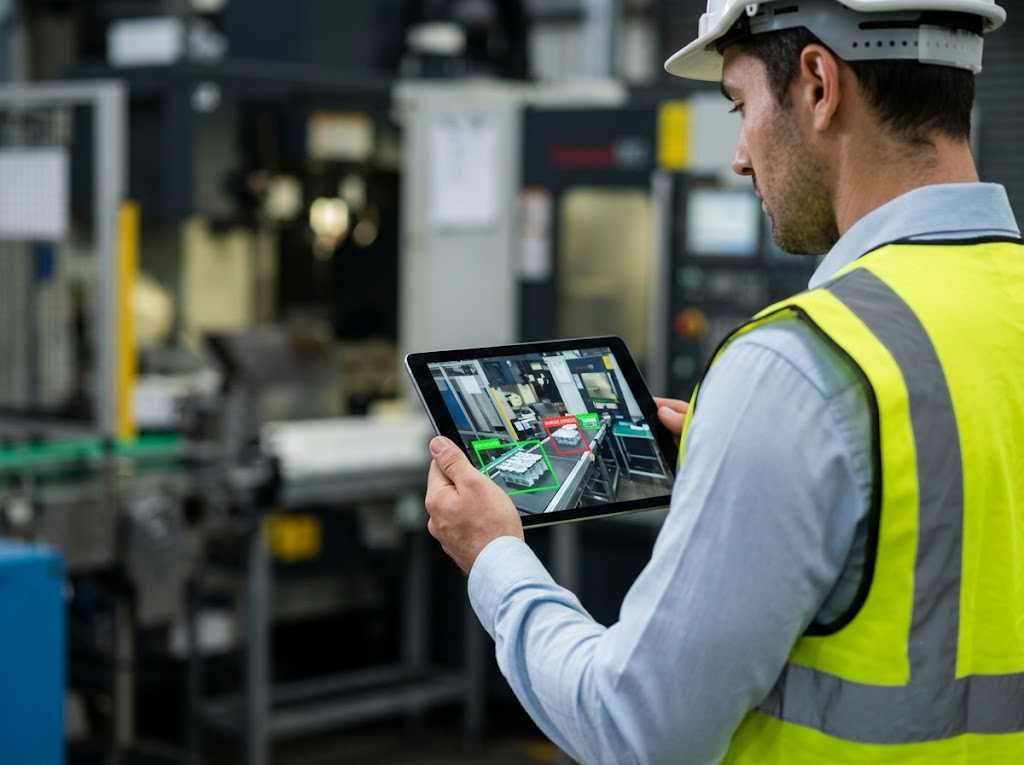
- Computer vision on the factory floor, catching defects from camera feeds through batch or asynchronous inference rather than a live endpoint
- Churn prediction and next-best-offer for telcos and subscription businesses, retrained monthly through an automated pipeline
- Document processing for insurance and logistics, often combining a fine-tuned extraction model on SageMaker with a language model on Bedrock for the summary layer
The pattern worth noticing is that most of these run on CPU instances and modest data volumes. Large GPU clusters make headlines, and a properly sized ml.m5 endpoint serving a forecasting model quietly does more for a business than a fine-tuning project without a use case behind it.
>>> Read more: Generative AI and ML Assessment With Renova Cloud
Amazon SageMaker Pricing
SageMaker carries no licence fee and no per-seat subscription. You pay for compute, storage, and data transfer, metered per second, across every component you touch. That structure is fair and easy to underestimate, because charges accumulate in parallel across notebooks, training, endpoints, feature storage, and monitoring at the same time.
What the Free Tier Covers
New accounts get capability-specific allowances for the first two months, and none of them transfer between capabilities:
- 250 hours of notebook time on ml.t3.medium
- 50 hours of training on m5.xlarge
- 125 hours of real-time inference on m4 or m5.xlarge
- 160 hours of Canvas session time
- 150,000 seconds of serverless inference
- 10 million Feature Store reads and writes, plus 25 GB of storage
Enough for evaluation. Any serious workload burns through it within weeks.
Where the Bill Goes
Two components dominate almost every SageMaker invoice: training jobs measured in GPU hours, and inference endpoints running around the clock. Cost analyses of real accounts keep finding endpoints idle 60 to 80% of the time while billing at the full rate.
Line items that catch teams out:
- Canvas bills $1.90 an hour for session time and keeps running after the browser tab closes, so an unattended login charges until someone logs out properly
- Notebook instances left up overnight cost the same as notebooks doing work
- Under SageMaker Unified Studio, Catalog requests and metadata storage are separate meters that did not exist in the older single-product structure
- Data transfer out of the Region adds up quickly once inference volume grows
For predictable workloads, SageMaker Savings Plans discount up to 64% across notebooks, training, and hosting against a one or three year commitment. Pair that with Managed Spot for training and autoscaling on endpoints, and a typical ML bill halves without a line of model code changing. Current rates by instance and Region sit on the SageMaker AI pricing page, and Singapore rates run higher than US East, so budget from the right column.
>>> Read more: AWS Cost Optimization Best Practices in a Secure Environment
SageMaker, Bedrock, or Plain EC2?
Three routes exist for running machine learning on AWS, and the right one depends on what you are starting with.
|
Amazon SageMaker |
Amazon Bedrock |
EC2 and open source |
|
| You supply | Data, model code, config | A prompt | Everything |
| Model control | Full | Choice from a model catalogue | Full |
| Setup effort | Moderate | Low | High |
| Billing basis | Compute time | Tokens or provisioned throughput | Instance hours |
| Fits | Custom models on your own data | Generative AI features | Teams with strong platform engineers |
A bank scoring loan applications on its own history needs a custom model, so SageMaker. The same bank adding a document summariser can call a foundation model through Bedrock and train nothing. Running raw EC2 makes sense when you have platform engineers who want full control and are content to build the tooling SageMaker would have handed you.
Running SageMaker From Vietnam
Region choice matters more for machine learning than for most workloads, since training data, model artifacts, and endpoints all sit wherever you put them.
Most teams in Ho Chi Minh City and Hanoi run in Singapore, which offers the widest instance selection in the region, including the GPU families that large training jobs need. Jakarta, Malaysia, and Thailand cover nearby options. Round-trip latency from Vietnam to Singapore lands in a range that suits API calls and batch work comfortably, and it only becomes a talking point for applications counting single-digit milliseconds.
Two local developments changed the conversation during 2026. AWS opened its first Local Zone inside Vietnam in June, which brings certain workloads physically closer, and a new data protection law took effect in January. Between them, the questions of where training data lives and which account holds it now belong in the architecture discussion rather than the paperwork at the end.
A practical approach is to keep raw data in an S3 bucket in your chosen Region, run training in the same Region, and use Pipelines to record exactly which dataset produced which model version. Auditors ask that question eventually, and reconstructing the answer from notebook history is unpleasant work.
Build Your Machine Learning Platform With Renova Cloud
We are Renova Cloud, an AWS Premier Partner headquartered in Vietnam. Our teams design and operate data and machine learning platforms on AWS for enterprises in finance, retail, manufacturing, and the public sector, and we were the first AWS Partner in Vietnam to sign a Strategic Collaboration Agreement focused on generative AI.
Through the Renova AI Factory we take projects from use case selection through to production, covering data preparation, model training on SageMaker, endpoint architecture, and the FinOps work that keeps inference costs in proportion to results. Recent projects include an AI investment assistant for ACB Securities and automated shelf compliance for retail clients.
Planning your first SageMaker workload, or looking at an ML bill that has outgrown what it returns? Get in touch with our team for a review.