
 Services
 Technologies
 About
 Success




What Is AWS Quick? A Complete Overview of the Enterprise AI Workspace
AWS Quick is an AI workspace from Amazon Web Services. It connects company data, answers questions in natural language, and carries out tasks such as research, data analysis and workflow automation.
The product was called Amazon Quick until 9 November 2026, when AWS renamed it AWS Quick. Because the name is new, articles and documentation still use both names.
This guide explains what AWS Quick is and what each of its features does.
Vy Pham
Marketing & Admin
Share article


Table of Contents
A question as simple as “what did we promise this customer?” can send an employee through shared drives, email threads and dashboards. The knowledge exists, but it is spread across too many places.
AWS Quick, formerly Amazon Quick, is designed to close that gap. It connects those sources, answers questions from them, and can then act on the answer. This article explains what AWS Quick is, how it differs from a typical AI chatbot, what each feature does, and how individual and business use compare.
What Is AWS Quick?
AWS Quick is an enterprise AI workspace where teams use AI agents to research, analyze and act across the data and applications they already use. Users type a question or instruction in chat. Quick finds the answer in connected sources and can then run a workflow, produce a report or update another system.
Its main characteristics are:
- Connected data: it works with documents, datasets, dashboards, web results and business applications.
- Actions, not only answers: agents can start workflows and work inside other applications.
- Governance: access controls and compliance guardrails apply to every request.
- Fully managed: there is no infrastructure to set up, and agents and automations can be built without code.
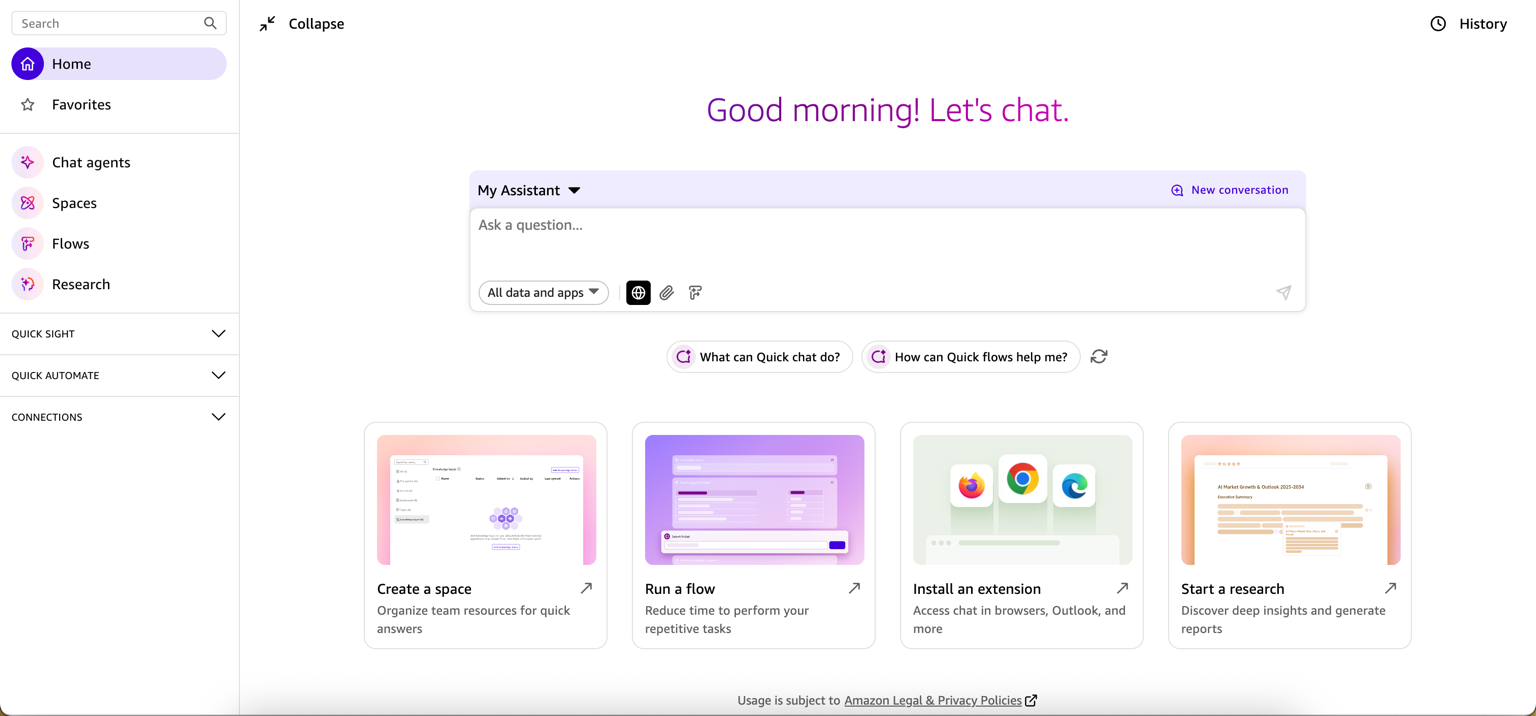
Image 1: AWS Quick, the AI workspace built for work. [Source: AWS]
Amazon Quick Is Now AWS Quick
On 9 November 2026, AWS announced that Amazon Quick is now AWS Quick, a name that reflects the enterprise security and governance built into Quick as an AWS service. The new name is used across the Quick website, the apps and AWS documentation, and Amazon Quick Sight is now AWS Quick Sight. The features and existing customer setups carry over, so Amazon Quick and AWS Quick refer to the same product.
What Can AWS Quick Do?
AWS Quick is made of several features that work together. Chat is the starting point. An agent handles each request, draws on the context stored in Spaces, and uses connectors to read data or act in other tools.
A Space brings together the resources an agent needs: documents, dashboards, datasets, knowledge bases and connectors. When a Space is assigned to an agent, the agent draws on everything in it. Teams share Spaces so that one person’s knowledge becomes the whole team’s.
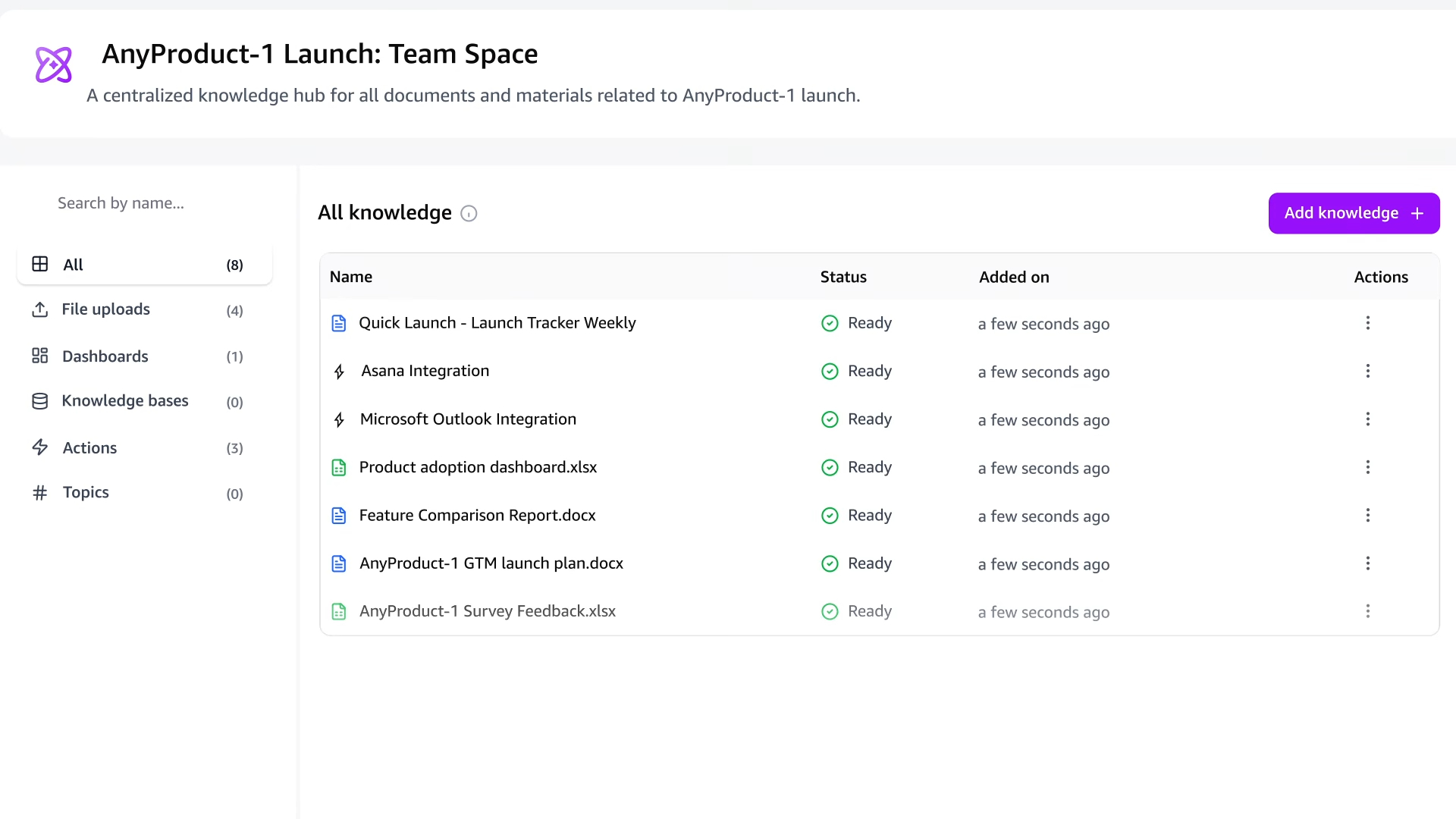
Image 2: AWS Quick Spaces organize data and resources for a team. [Source: AWS]
AWS Quick Chat Agents: Custom AI Assistants
Quick provides a default agent, and teams can create custom agents for a specific domain. Each agent has instructions that define its behavior, knowledge sources that ground its answers, and tools that let it act. Users describe what they need in natural language, and finished agents can be shared across teams.
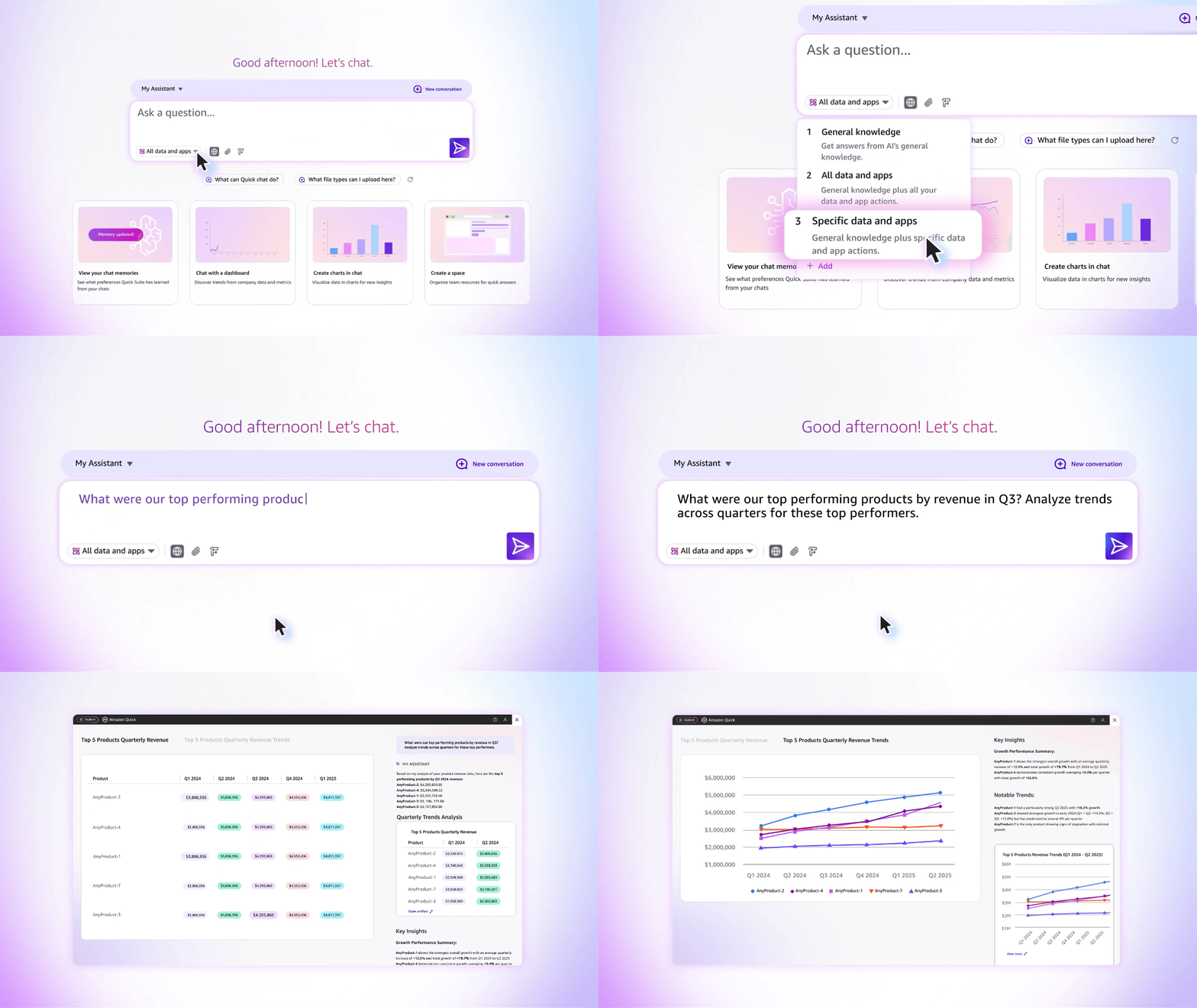
Image 3: Custom AWS Quick Chat Agents are built from plain-language instructions. [Source: AWS]
AWS Quick Research: Cited Reports
Quick Research handles complex, time-consuming research. It searches across the web and your own data, including internal files and private third-party sources, and delivers a cited report that can be exported as a professional document.
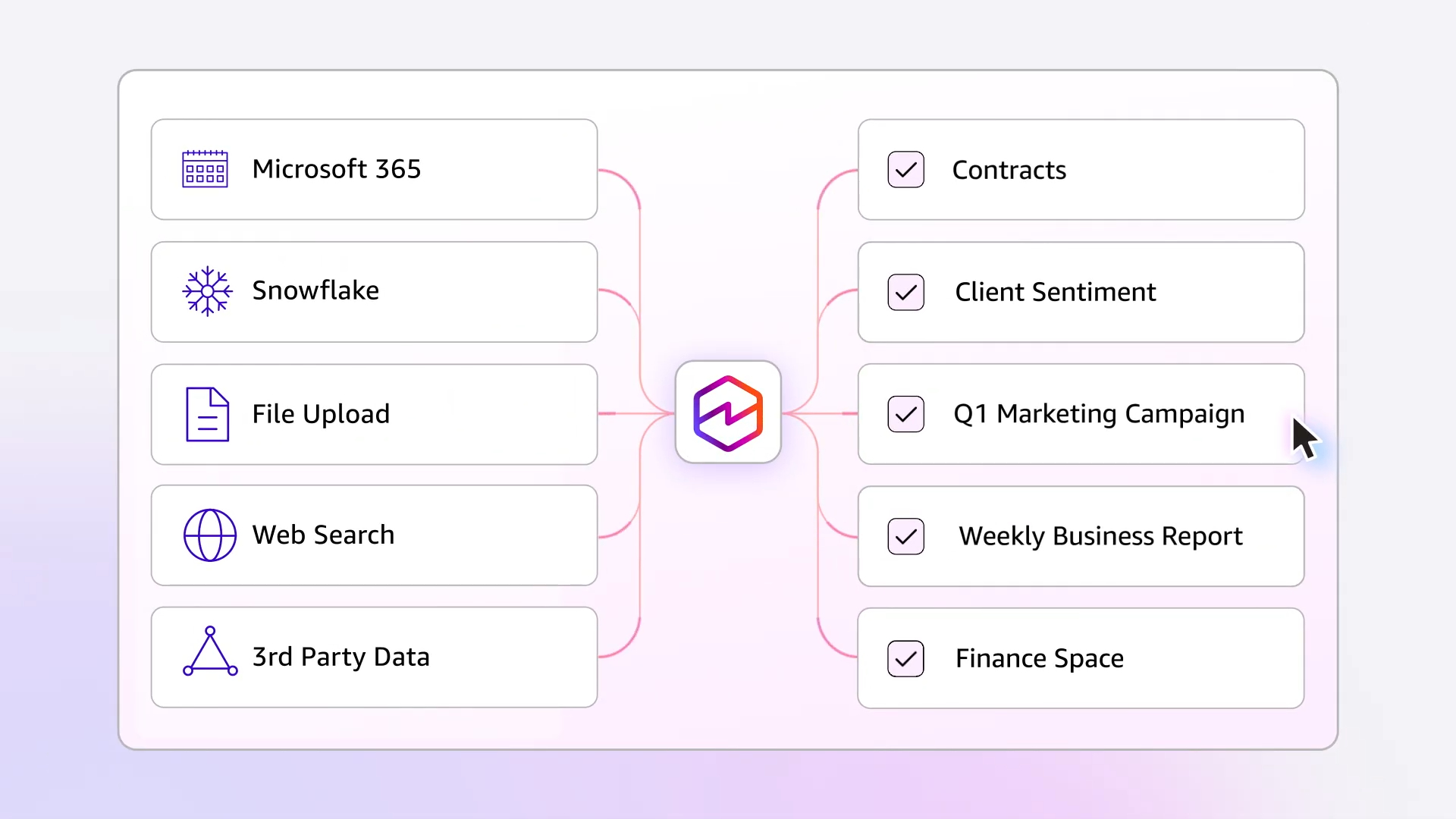
Image 4: AWS Quick Research integrates multiple data sources to automate complex research. [Source: AWS]
AWS Quick Sight: Analytics in Natural Language
AWS Quick Sight is the business intelligence feature. It connects to databases, data warehouses and data lakes, and lets users ask questions in natural language, run analysis and build interactive dashboards. Dashboards can also be embedded in other applications.
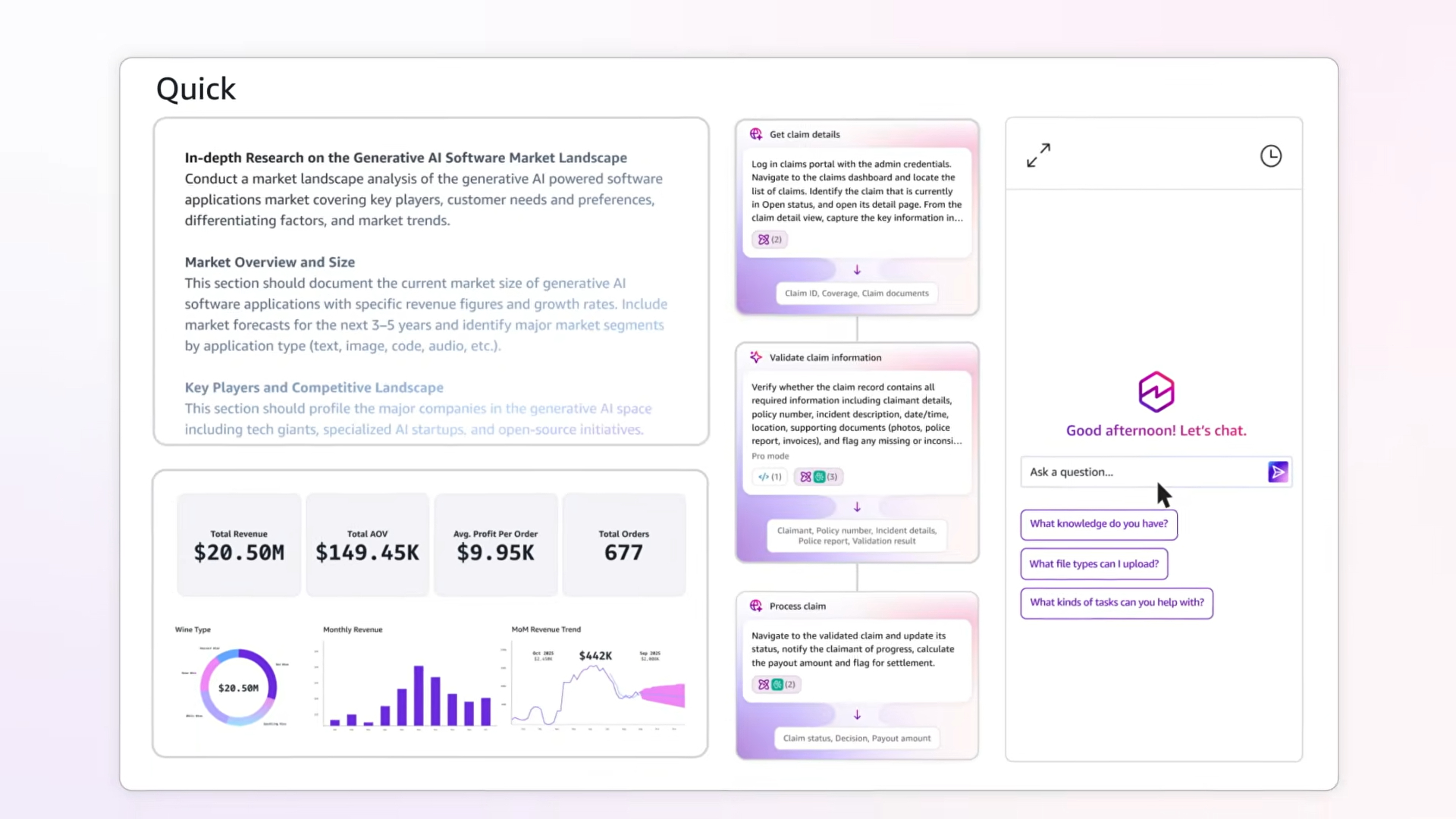
Image 5: AWS Quick Sight provides AI-powered business intelligence. [Source: AWS]
AWS Quick Flows: Automation for Routine Tasks
Quick Flows automates repetitive tasks, such as recurring reports or meeting preparation. A flow is created from a plain-language description, uses your data, and can take actions in connected applications, with no code required.
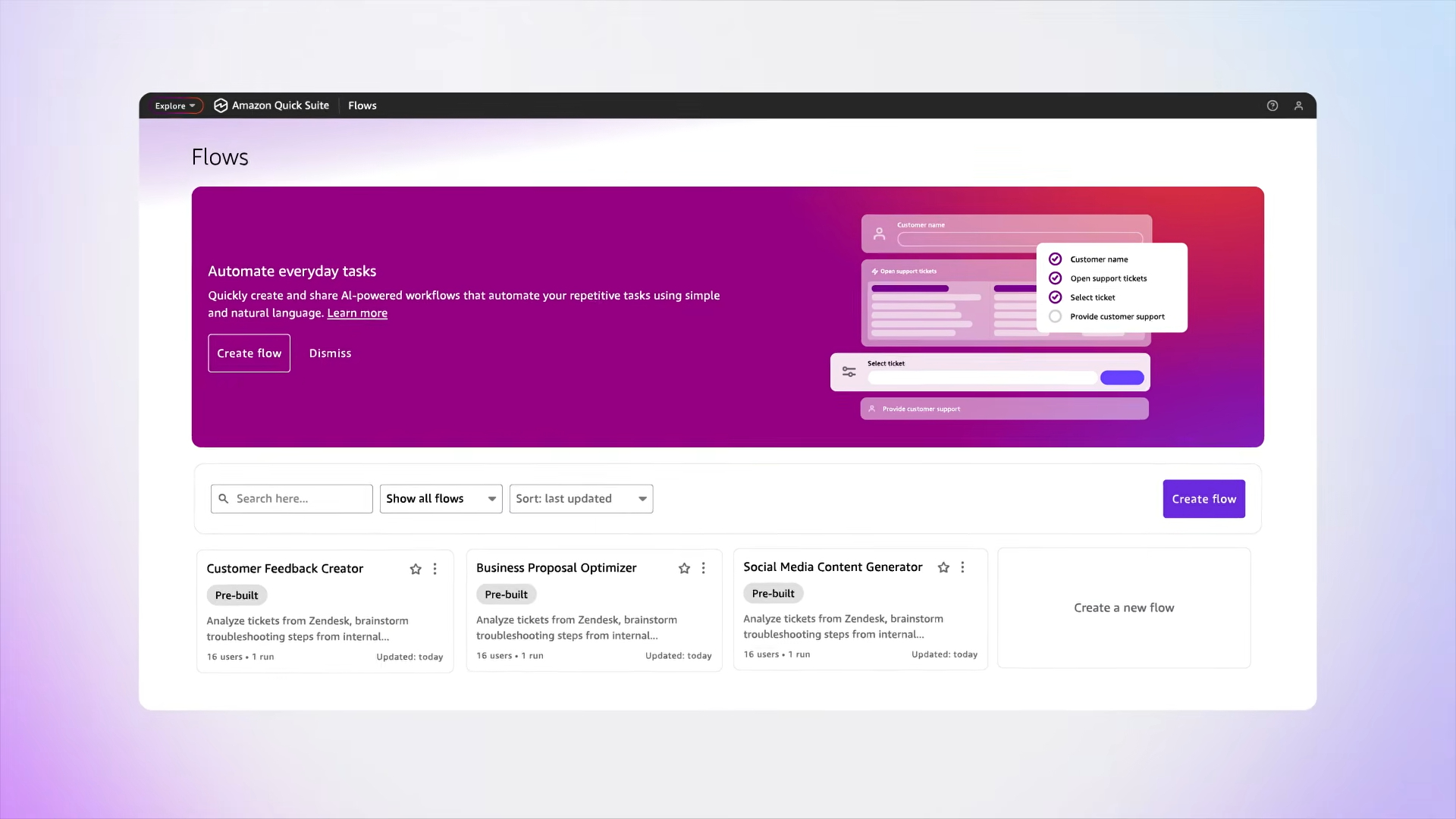
Image 6: AWS Quick Flows create workflows for routine tasks. [Source: AWS]
AWS Quick Automate: End-to-End Processes
Quick Automate handles larger processes that span several applications or departments. AI agents make contextual decisions and carry out actions, with human-in-the-loop steps where a person needs to review or approve.
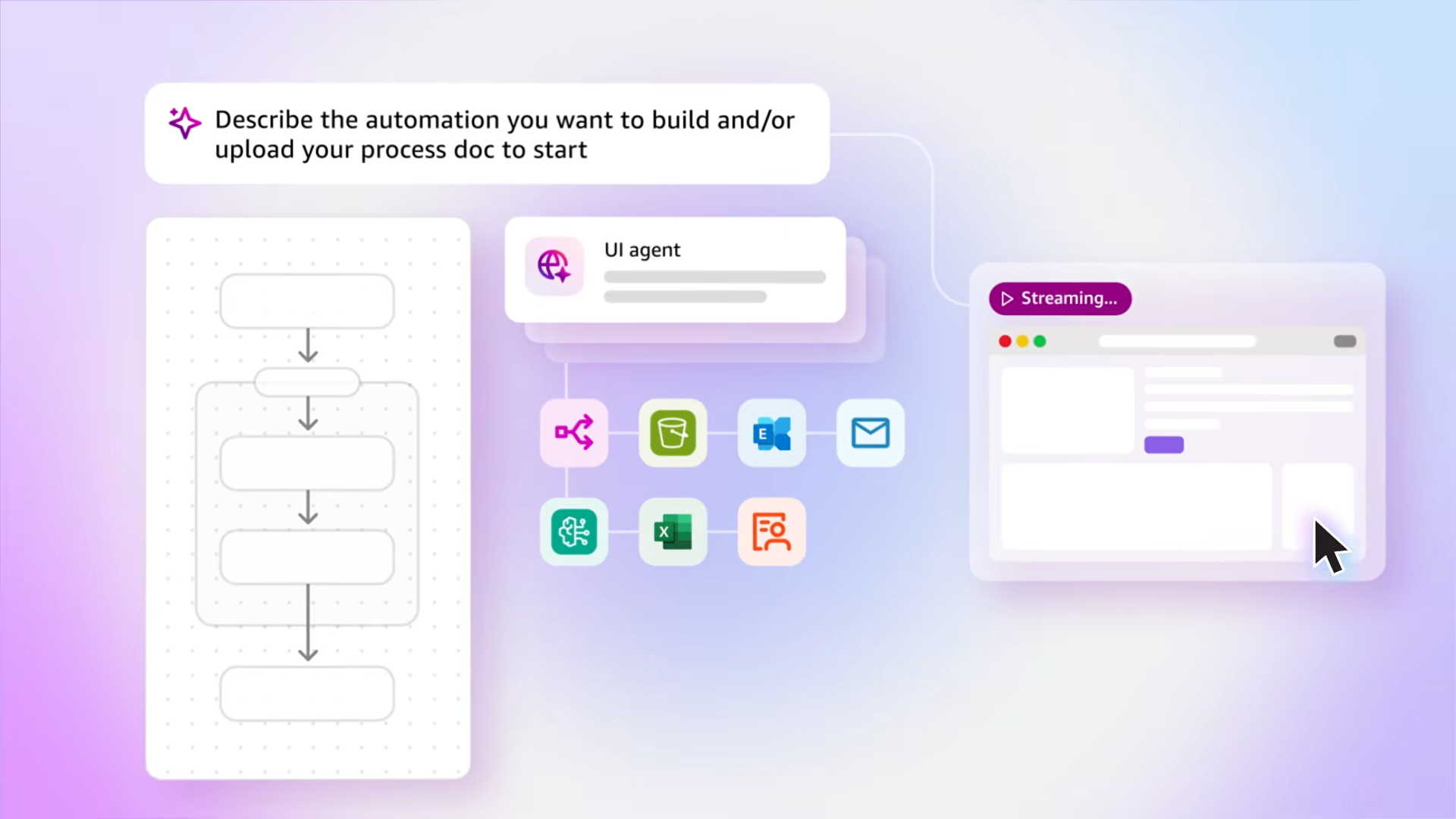
Image 7: AWS Quick Automate runs complex, multi-step processes. [Source: AWS]
AWS Quick Apps: Web Apps Built by Chat
With Apps, users describe the application they need and Quick builds it. Apps can embed Quick Sight dashboards, call APIs through connectors, query data in Spaces and use built-in AI functions such as summarizing, classifying and generating content. One-click publishing shares the finished app with a team.
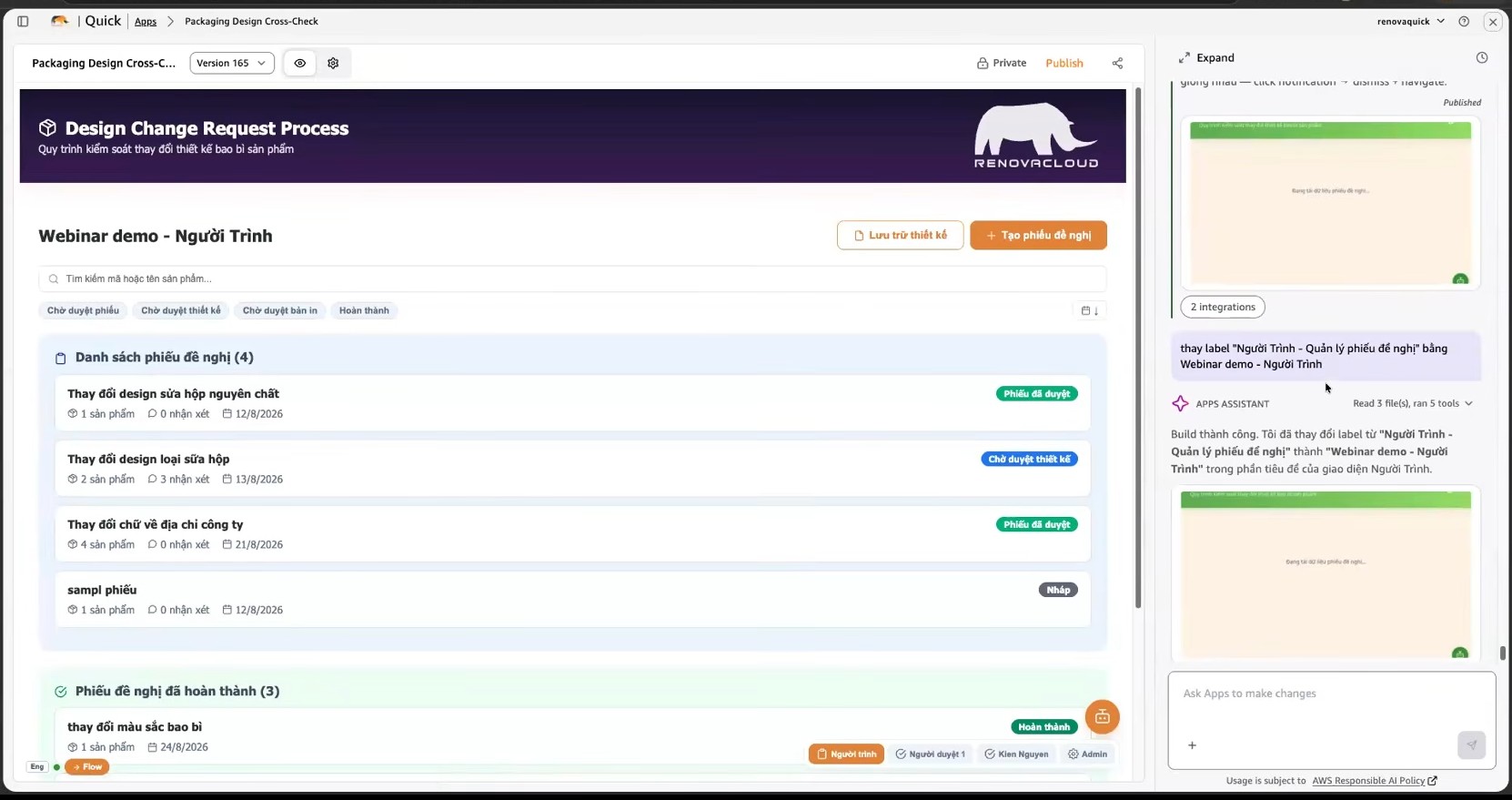
Image 8: AWS Quick Apps are built through conversation and published in one click. [Source: Renova Cloud]
→ Watch our live demo of building a web app with AWS Quick.
AWS Quick for Individuals and Businesses
AWS Quick can be used by one person or rolled out across an organization. The main difference is who sets it up and how access is managed.
| Category | Individuals | Businesses |
| Sign-up | Self sign-up with email or a Google, Apple, Amazon or GitHub login | Set up by an administrator in the AWS Management Console |
| Sign-in | Personal login | IAM Identity Center or IAM federation |
| Plans | Free and Plus | Professional and Enterprise |
| Billing | Plan-based | Per-user subscription on standard AWS billing |
| Governance | Personal workspace | Corporate identity integration and advanced governance; Enterprise adds SSO and region selection |
| Data and analytics | Chat, agents and research | Adds AWS Quick Sight business intelligence and connections to AWS data services |
According to AWS, customer data is not used to train models in any AWS Quick plan, free or paid. Individuals can use the Free or Plus plan to try Quick on their own work. Businesses that need shared data, role-based access and compliance controls use the organization setup.
Getting Started with AWS Quick
Before starting, decide which data to connect, how permissions map to user roles, which use case to try first, and where a person should still review the result. A small pilot with a clear success measure is a practical first step. Renova Cloud is an AWS Premier Partner with the AWS AI Services Competency, and provides Generative AI solutions on AWS from planning to deployment.
→ Explore how our technologies can fit with your business
Build with AWS Quick Together with Renova Cloud
AWS provides the AWS Quick service, and companies can sign up for it directly. The harder part is turning it into a workspace that teams use every day, because AWS does not make those decisions for you: which data to connect, how permissions map to each role, which process to automate first, and where a person must review the result.
Renova Cloud is an AWS Premier Tier Services Partner in Vietnam with the AWS AI Services Competency. We help organizations adopt AWS Quick in four steps:
- Choose the first use case. We work with your teams to find the processes where agents, apps or flows save the most time, instead of starting from the tool.
- Connect data safely. We connect sources such as SharePoint or Amazon S3 and map access through IAM Identity Center, so people only see what they are allowed to see.
- Build and test. We build custom agents, flows and apps for your workflow, and test their accuracy against your own standards before rollout.
- Roll out and support. We train teams, publish shared assets and keep improving them after launch.
Renova Cloud has built and demonstrated AWS Quick solutions, including a sales and marketing portal and an automated design-check app. Our Generative AI solutions on AWS cover the wider AI platform around them.
Planning to try AWS Quick in your organization? Talk to Renova Cloud’s AWS experts about your use cases, data and security requirements. We will help you scope and run a focused pilot.