
 Services
  Technologies
  About
About Success


AWS Control Tower Landing Zone Implementation: A Practical Guide for 2026
Share article


Table of Contents
Most organizations that move to AWS at scale discover fairly quickly that a single account is not a sustainable architecture. AWS Control Tower and its landing zone implementation are the standard answer to that problem, and this guide walks through what they are, how they work, and how to implement them correctly.
What Is an AWS Control Tower Landing Zone
An AWS Control Tower landing zone is a well-architected, multi-account AWS environment built on security and compliance best practices.
It serves as the foundational layer your teams build on top of providing pre-configured account structure, centralized logging, identity management, and governance guardrails before a single workload is deployed.
AWS Control Tower automates the setup of this environment by orchestrating several AWS services together, including AWS Organizations, AWS IAM Identity Center, AWS Config, and AWS CloudTrail.
The result is a baseline cloud environment that can be deployed in under an hour, compared to weeks of manual setup.
AWS definition: A landing zone is a well-architected, multi-account environment that is based on security and compliance best practices. AWS Control Tower automates the setup using best-practice integrations for identity, federated access, central data backup, and account structure.
The Core Components of a Landing Zone

An AWS Control Tower landing zone implementation creates and manages several interconnected building blocks. Understanding each one is important before you start the deployment process.
Management Account
The management account is the billing and governance root of your AWS Organization. All costs in the landing zone are charged to this account, and it hosts the AWS Control Tower console. It should not be used for running application workloads.
Log Archive Account
This shared account centralizes log data from all accounts in the landing zone, including AWS CloudTrail trails and AWS Config history. Centralizing logs this way makes auditing, forensics, and compliance reporting dramatically simpler across large multi-account environments.
Audit Account
The audit account gives security and compliance teams read-only or write access to all accounts in the landing zone. It serves as a trusted hub for cross-account security monitoring and integrates naturally with tools like AWS Security Hub and Amazon GuardDuty.
Organizational Units
AWS Control Tower creates a Security OU containing the Log Archive and Audit accounts by default. From there, you can build out additional OUs such as Production, Development, Sandbox, and Shared Services to reflect how your organization separates workloads, teams, and compliance boundaries.
Guardrails
Guardrails are high-level governance rules applied automatically to all accounts within a governed OU. They come in three types (preventive, detective, and proactive) and three guidance levels (mandatory, strongly recommended, and elective). Mandatory guardrails enforce non-negotiable controls such as preventing public write access to Amazon S3 buckets and requiring MFA for root account access. The latest version of the landing zone adds over 279 additional AWS Config controls to the Control Catalog, giving teams far more granular governance options than earlier releases.
Account Factory
The Account Factory is a configurable template that standardizes how new AWS accounts are provisioned. Think of it as a vending machine for compliant AWS accounts. Every account created through Account Factory inherits pre-approved VPC settings, IAM roles, logging configurations, and guardrails automatically. This removes the manual burden of account setup and makes scaling from ten accounts to a thousand far more manageable.
Dashboard
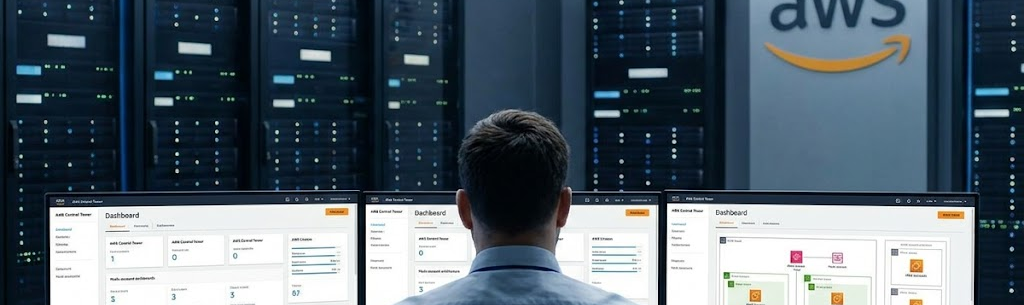
The AWS Control Tower console provides a centralized dashboard showing provisioned accounts, enabled guardrails, and any non-compliant resources across the environment. This gives central cloud administrators a single pane of glass for ongoing oversight without needing to switch between individual accounts.
How to Implement the Landing Zone Step by Step

The implementation process follows a logical sequence. Each step builds on the previous one, so working through them in order avoids common drift and misconfiguration issues later.
-
Step 1: Plan your OU Structure and Home Region
-
- Decide how to group accounts, whether by environment, business unit, or compliance boundary. Choose the home Region where Control Tower will run. Changing this later requires a full re-setup.
-
Step 2: Prepare prerequisites in the management account
-
- Ensure the management account has no pre-existing AWS Organizations configuration that conflicts with Control Tower. Review existing IAM roles, Service Control Policies (SCPs), and any active CloudTrail trails that may need to be reconciled.
-
Step 3: Enable AWS Control Tower and set up the landing zone
-
- Open the AWS Control Tower console and choose Set Up Landing Zone. Control Tower will automatically create the Management OU, Security OU, Log Archive account, and Audit account. The process takes roughly 30 to 60 minutes.
-
Step 4: Configure IAM Identity Center
-
- Set up AWS IAM Identity Center for federated access. Connect it to your existing identity provider such as Active Directory or Okta, so that your teams use single sign-on across all landing zone accounts without managing separate IAM users per account.
-
Step 5: Create additional OUs and enroll existing accounts
-
- Add OUs for production, development, and sandbox workloads. Enroll any existing AWS accounts into the appropriate OUs. Once enrolled, guardrails apply automatically to those accounts, bringing them under centralized governance without manual policy replication.
-
Step 6: Customize guardrails and activate elective controls
-
- Mandatory guardrails are active by default. Review the strongly recommended and elective guardrail catalog and activate the controls that match your compliance requirements, including NIST, PCI DSS, HIPAA, or your own internal policy framework.
-
Step 7: Implement Account Factory for Terraform (AFT)
-
- For teams that prefer infrastructure-as-code workflows, the Account Factory for Terraform automates account provisioning through a GitOps pipeline. Every new account request is handled via a Terraform module, giving your DevOps team full programmatic control over account vending.
-
Step 8: Step Validate, monitor, and remediate drift
-
- After setup, use the Control Tower dashboard and AWS Config to monitor for configuration drift, which refers to deviations from your established guardrail baselines. AWS Control Tower includes built-in drift detection and the ability to re-baseline accounts that have drifted outside compliance.
Landing Zone 4.0 — What Changed in 2025
AWS released landing zone version 4.0 in 2025, introducing several architectural improvements worth noting if you are planning a new implementation or upgrading an existing one.
The most significant change is the move to dedicated resources per service rather than shared resources. This provides better isolation between AWS Config, CloudTrail, and other foundational services, reducing the risk of one component’s configuration affecting another. The new version also introduces a service-linked Config aggregator in the Config hub account, replacing traditional organization and account aggregators for more reliable cross-account visibility.
Additionally, 279 additional AWS Config controls are now included in the Control Catalog, and automatic account enrollment is supported out of the box.
Organizations that implement a governed landing zone from the beginning spend far less time cleaning up compliance debt, security exceptions, and account sprawl than those who bolt governance onto an existing environment later.
Landing Zone Implementation for Regulated Industries
Organizations in financial services, healthcare, and government face additional requirements beyond the defaults. While the guardrails bundled with AWS Control Tower do not automatically guarantee compliance with standards like ISO 27001, SOC 2, PCI DSS, or HIPAA out of the box, they provide a strong foundation that significantly reduces the work required to reach those standards.
Teams working toward specific frameworks should review the elective guardrail catalog closely. AWS has added support for additional industry frameworks in recent releases, and third-party conformance packs available through AWS Config Conformance Packs extend coverage further. The audit account also plays a direct role in compliance reporting by centralizing evidence collection for auditors and reducing the manual work of cross-account evidence gathering.
Account Factory for Terraform and Scaling the Landing Zone Programmatically
As organizations grow beyond a few dozen accounts, manual provisioning through the console becomes impractical. The Account Factory for Terraform (AFT) solves this by turning account vending into a code-driven pipeline.

With AFT, every new account request is submitted as a pull request in a Git repository. The pipeline validates the request, triggers the account creation via Control Tower, applies customizations through Terraform modules, and integrates the new account into the organization’s existing monitoring and security toolchain, all without manual intervention. AFT now supports GitLab alongside GitHub, and version 1.15.0 (released in 2025) added new configuration options at deployment time that reduce the amount of post-deployment customization needed.
For DevOps teams already working with AWS CloudFormation, the Customizations for AWS Control Tower (CfCT) solution provides an equivalent GitOps workflow using CloudFormation templates and SCPs, without requiring Terraform expertise.
Keeping Your Landing Zone Healthy Over Time
A landing zone implemented well and then left unattended will accumulate drift. AWS Control Tower provides tooling to prevent this, but teams need to make use of it actively. The drift detection features in the Control Tower console surface accounts and OUs that have diverged from the guardrail baselines, and the ResetEnabledControl API (introduced in 2024) allows teams to programmatically restore controls to their intended state without manual intervention.
Regular updates to the landing zone version are also worthwhile. AWS releases new landing zone versions on a rolling basis, and each version brings improvements to resource isolation, control coverage, and operational efficiency. Landing zone version selection, now available directly in the console, makes updating from one version to the next more transparent than it was in earlier releases.
Pairing AWS Control Tower with AWS Security Hub and Amazon GuardDuty aggregated across all accounts provides the threat detection layer that sits on top of governance. Control Tower handles policy enforcement while Security Hub and GuardDuty handle active threat monitoring. Together, they form a governance and security posture that covers both preventive and detective requirements.
Renova Cloud: Your AWS Landing Zone Partner
Renova Cloud is an AWS Premier Partner based in Vietnam, with a certified team that has designed and deployed AWS Control Tower landing zone implementations for enterprises and growth-stage businesses across Southeast Asia.
We cover the full implementation lifecycle, from OU design and control selection through Account Factory for Terraform configuration, existing account enrollment, drift remediation, and ongoing landing zone governance.
Our Renozone Landing Zone is a production-ready framework built on AWS Control Tower best practices, designed to get organizations to a governed multi-account environment faster.
If you are planning a landing zone implementation or need to bring an existing environment under proper governance, reach out to our team.