
 Services
  Technologies
  About
About Success




What Are AWS Developer Services And Why They Matter For Modern Applications
Share article


Table of Contents
Building software today looks very different from even five years ago. Teams ship faster, users expect instant performance, and systems need to scale without warning. This is where AWS developer services step in. They give developers the tools to build, test, deploy, and run applications without wrestling with servers or fragile infrastructure.
AWS developer services are a collection of cloud tools from Amazon Web Services that support the full application lifecycle. From writing code and managing versions to automating deployments and monitoring performance, these services reduce manual work and speed up delivery. Developers spend less time on setup and more time building features users actually care about.
What Are AWS Developer Services?
AWS developer services are a collection of managed tools that help developers create and operate applications on AWS.
Instead of building everything from scratch or running your own servers and tools, AWS provides ready-to-use services that scale automatically and integrate with each other.

Think of them as building blocks. One service helps you write and run code. Another manages deployments. Another watches logs and performance. When combined, they form a complete development and delivery environment.
These services are used for web applications, mobile backends, APIs, data processing pipelines, and event-driven systems. Teams can use just one service or combine many depending on their needs.
Why AWS Developer Services Matter For Modern Teams
Modern applications rarely stay small. Traffic changes. Features evolve. Security expectations grow. Teams need systems that can adapt without constant firefighting.
AWS developer services help with that by offering:
- Managed infrastructure that removes server maintenance work
- Built-in scalability that responds to real usage
- Deep integration with security and monitoring tools
- Pay-as-you-go pricing that avoids heavy upfront costs
This approach suits agile teams that release frequently and need reliable automation behind the scenes.
The Core Categories of AWS Developer Services
It is easier to understand these tools if we group them by their function. Each category solves a specific part of the development puzzle.
Services That Run Your Application Code
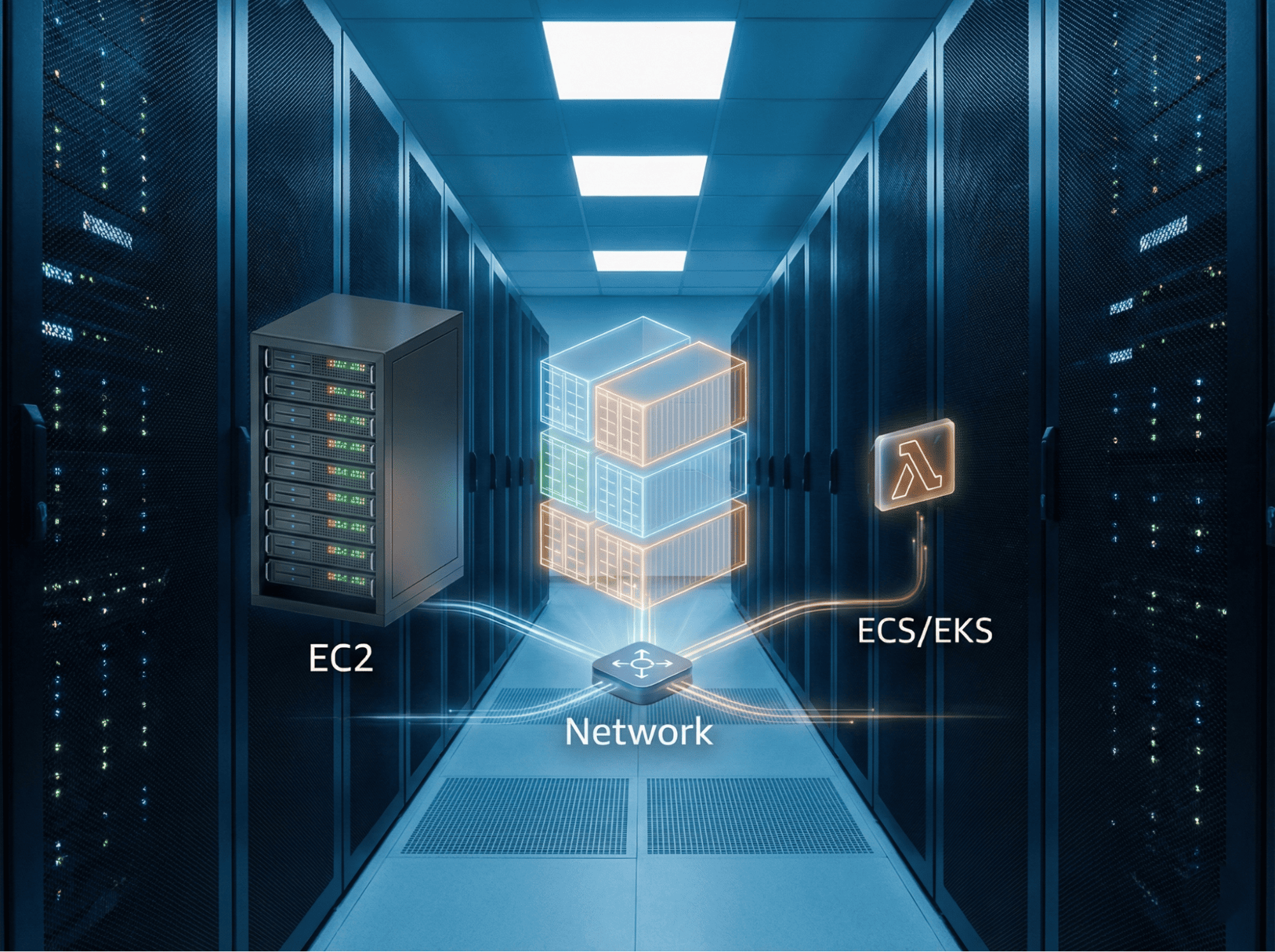
The most fundamental decision you make is where your code will run. AWS offers different options depending on how much control you want.
AWS Lambda
AWS Lambda changes how developers think about servers. In fact, it lets you run code without thinking about servers at all. You simply upload your code and define a trigger. A trigger could be a user visiting a webpage or a file being uploaded. AWS runs your code only when that trigger happens.
This is perfect for event-driven tasks. Imagine you have an app where users upload profile photos. You can write a Lambda function to resize that photo automatically. The function runs for a few seconds, does the work, and shuts down. You pay only for those few seconds. This model is efficient and very popular for modern APIs.
Amazon EC2
Amazon Elastic Compute Cloud, or EC2, is different. It provides virtual servers. This is like having a remote computer that you control completely. You choose the operating system. You install the software you need. You manage the network settings.
EC2 is the right choice when you need full control. Some legacy applications require specific server configurations. Some workloads need to run constantly without stopping. EC2 gives you the flexibility to handle these scenarios. It demands more management than Lambda, but it is extremely powerful.
Amazon ECS and EKS
Many modern teams use containers. Containers package your code and its dependencies together. Amazon Elastic Container Service (ECS) and Amazon Elastic Kubernetes Service (EKS) help you run these containers at scale.
If you use Docker, ECS is a great place to start. It handles the work of placing your containers on servers. If you already use Kubernetes, EKS gives you a managed Kubernetes environment. This lets you move existing workloads to AWS easily.
Services For Deployment and Automation
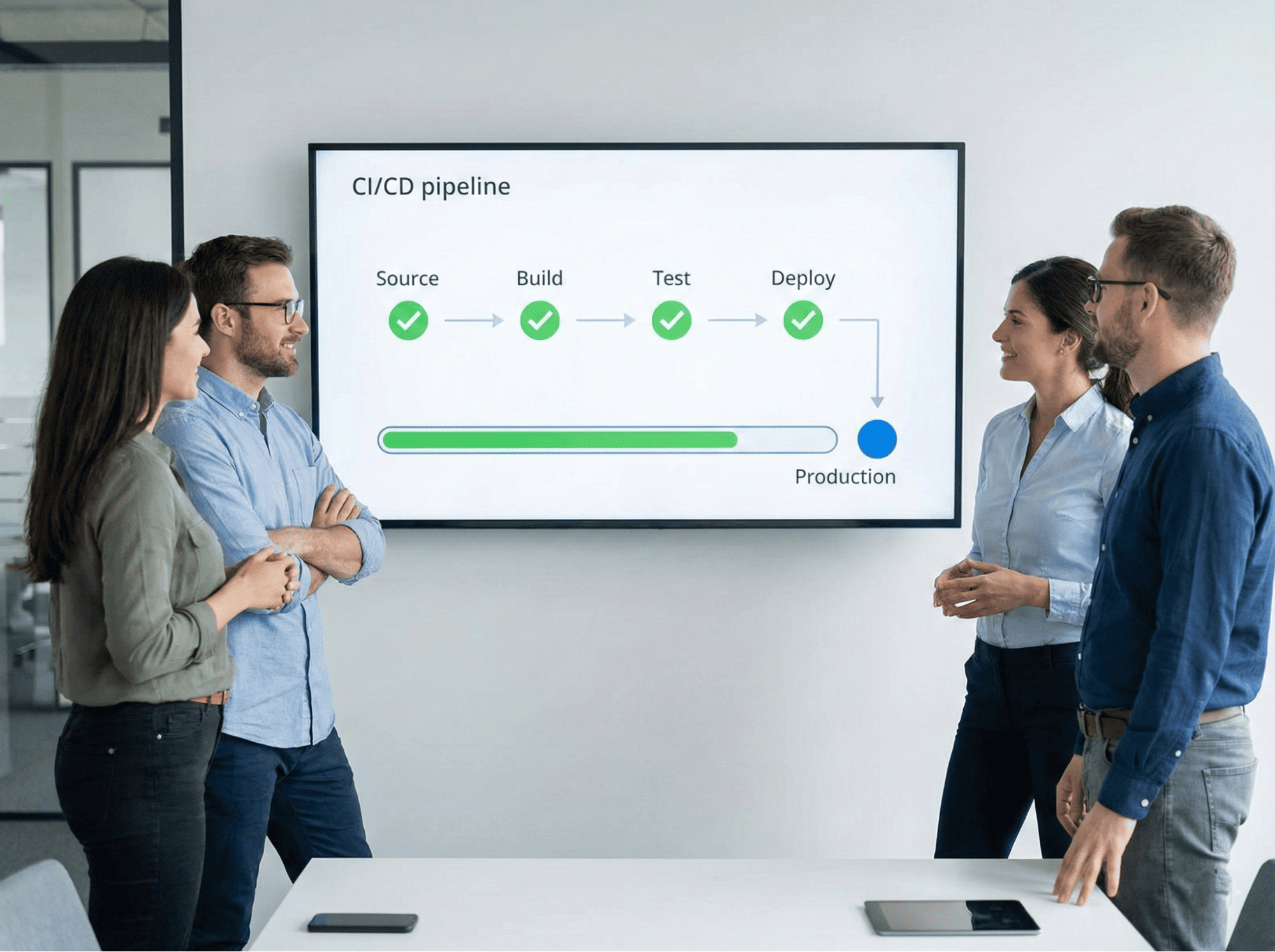
Writing code is only half the battle. You must also ship it to your users safely.
AWS provides a suite of tools to automate this process. This is often called Continuous Integration and Continuous Deployment, or CI CD.
AWS CodeCommit
Every project starts with source code. AWS CodeCommit is a secure place to store that code. It is a managed source control service that works like Git. You can use standard Git commands to push and pull code.
Teams choose CodeCommit when they want their code to stay private and secure within AWS. It integrates well with other AWS security tools. This makes it a strong choice for enterprises with strict compliance rules.
AWS CodeBuild
Once you save your code, you need to test it. AWS CodeBuild acts as your build server. It compiles your source code, runs your automated tests, and produces software packages ready for deployment.
You do not need to manage a build server farm. CodeBuild scales up and down automatically. If ten developers push code at the same time, CodeBuild processes all of them securely. You pay only for the minutes it takes to run the build.
AWS CodeDeploy
Deploying software manually is risky. People make mistakes. AWS CodeDeploy automates the release process. It takes your new code and installs it on your servers or Lambda functions.
CodeDeploy is smart. It can deploy to thousands of servers at once. It can also do rolling updates. This means it updates a few servers at a time to ensure the application stays online. If it detects an error, it can stop the deployment automatically. This safety net gives developers confidence to release more often.
AWS CodePipeline
This service ties everything together. AWS CodePipeline visualizes and automates your release steps. It creates a workflow that starts whenever you save a change to your code.
A typical pipeline looks like this. First, it pulls the code from CodeCommit. Next, it sends it to CodeBuild for testing. Finally, it uses CodeDeploy to push the update to production. This happens every time a developer commits code. It speeds up the feedback loop and reduces manual work.
Services For APIs and Backend Logic
Applications need to talk to the outside world. They also need to connect to databases and other systems.
Amazon API Gateway
This service acts as the front door for your application. It lets developers create and manage APIs. When a mobile app or website sends a request, API Gateway receives it. It checks if the user is allowed to access the data. Then it routes the request to the right backend service.
API Gateway handles the hard parts of API management. It manages traffic spikes so your backend does not crash. It handles different versions of your API. It integrates naturally with AWS Lambda to build serverless backends.
AWS AppSync
Modern apps often need real-time data. AWS AppSync makes this easy using GraphQL. GraphQL allows front-end developers to ask for exactly the data they need. They do not get extra data they do not want.
AppSync also handles offline data. If a mobile user loses their internet connection, AppSync helps save their changes locally. When the connection returns, it syncs the data back to the cloud. This simplifies building complex mobile and web apps.
Amazon EventBridge
Applications today are often composed of many small parts. These parts need to talk to each other. Amazon EventBridge acts as a connector. It creates an event bus that routes messages between services.
For example, when a customer places an order, your order system can send an event. EventBridge sees this event and sends it to your inventory system and your shipping system simultaneously. This decoupling makes your application easier to maintain and extend.
Services For Monitoring and Debugging

You cannot fix what you cannot see. Once your application is live, you need to know how it is behaving.
Amazon CloudWatch
CloudWatch is your primary monitoring tool. It collects data from every AWS resource you use. It gathers logs, metrics, and event data.
Developers use CloudWatch to track performance. You can see if your CPU usage is too high. You can see how many errors your users are facing. You can set alarms to notify your team if something breaks. CloudWatch ensures you are the first to know about a problem.
AWS X-Ray
Modern architectures can be complex. A single user request might touch five different services. If the request is slow, it is hard to know which service is to blame. AWS X-Ray solves this.
X-Ray traces requests as they travel through your system. It creates a map of your application. You can see exactly where the bottlenecks are. It helps developers debug performance issues in distributed applications quickly.
Services For Coding and Infrastructure
AWS also offers tools that help you write code and define your infrastructure.
AWS Cloud9
Cloud9 is a development environment that runs in your browser. It includes a code editor, a debugger, and a terminal. Because it runs in the cloud, you can access your project from any computer.
Teams use Cloud9 to write code together in real time. It comes pre-configured with the tools you need for AWS development. This speeds up the onboarding process for new team members.
AWS Cloud Development Kit (CDK)
Historically, defining infrastructure meant writing complex configuration files. The AWS CDK lets you define infrastructure using standard programming languages. You can write TypeScript, Python, or Java to create your servers and databases.
This approach is powerful. It lets you use loops, logic, and variables to define your cloud resources. It treats your infrastructure just like your application code. This makes it easier to version control and review.
How AWS Developer Services Work Together
These services are useful on their own. However, their true power appears when you combine them. A standard modern workflow integrates many of these tools into a seamless chain.
Imagine a developer fixing a bug.
- They write code in Cloud9 or their local editor.
- They push the changes to CodeCommit.
- CodePipeline detects the change and wakes up.
- CodeBuild runs the automated tests to make sure the bug is fixed.
- CodeDeploy pushes the new version to a fleet of EC2 instances or Lambda functions.
- CloudWatch monitors the new version to ensure it is stable.
- X-Ray helps the team verify that performance has improved.
This entire process happens automatically. The developer focuses on the code, and the AWS services handle the delivery. This reduces the time between having an idea and seeing it live in production.
Choosing The Right Tools
With so many options, how do you choose?
Start by looking at your team’s skills. If your team knows Python well, Lambda is a great fit. If your team is great at managing Linux servers, EC2 might be better.
Next, look at your application needs. If you have unpredictable traffic, serverless tools like Lambda and API Gateway are ideal. They handle the spikes for you. If you have a steady, predictable workload, reserved EC2 instances might be cheaper.
Finally, consider your operational capacity. Do you have a large operations team? If not, lean towards managed services like CodeBuild and ECS. They remove the maintenance burden so your small team can do more.
How Renova Cloud Can Support Your Cloud Journey
We know that navigating the AWS ecosystem can feel overwhelming. There are hundreds of services, and choosing the right combination for your specific business needs is a challenge.

At Renova Cloud, we specialize in solving this exact problem. As an AWS Advanced Consulting Partner, we work with these developer services every single day. We help agile startups and large enterprises build cloud-native architectures that are secure, scalable, and easy to manage.
Our team is highly integrated and passionate about modernizing workflows. We do not just set up tools; we help your team adopt a true DevOps culture. Whether you need to migrate a legacy system, build a complex microservices backend, or just speed up your deployment pipeline, we are here to guide you. We focus on practical execution so you can see real results fast.
Let us help you turn AWS developer services into your competitive advantage.
Contact us today for a free demo.